
 United States
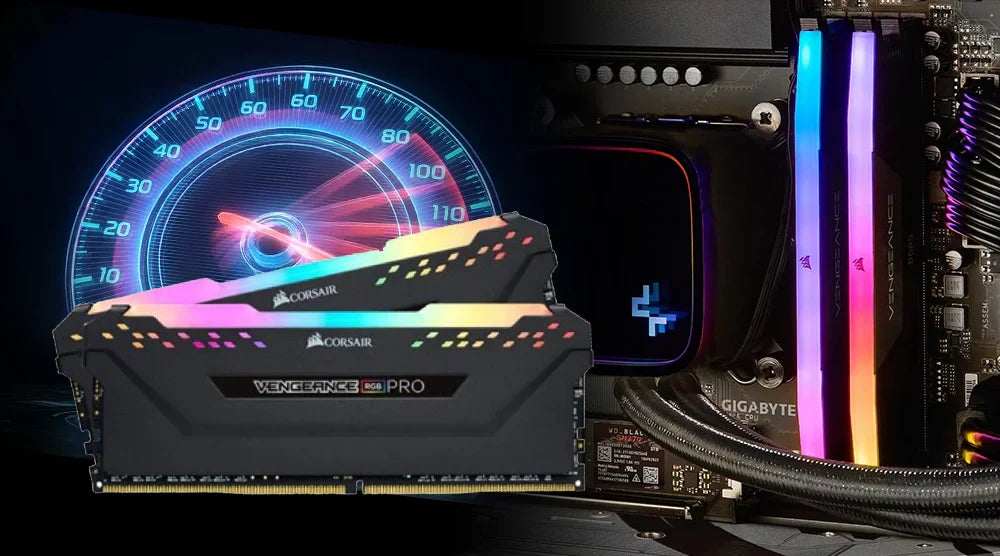
Want smoother gameplay, faster load times, and a more responsive PC, without spending a dime on new hardware? Memory overclocking is your secret weapon. By fine-tuning your RAM’s speed, timings, and voltage, you can unlock hidden performance and elevate your gaming experience.
Whether you’re a beginner or just curious, this guide breaks down everything you need to know: what memory overclocking is, how it works, the benefits, potential challenges, and how to safely overclock your RAM for maximum results.
What Is Memory Overclocking?
Memory overclocking is the process of overdriving your RAM to increase system performance beyond its basic limit. Increasing RAM frequency lets your PC transfer data more quickly, thereby lowering loading times and increasing frame rates in several games.
Before you dive in, it helps to understand a few key terms:
-
Frequency: The rate at which your RAM can convey information. A higher frequency usually translates into better performance.
-
Latency: The delay before your RAM begins transmitting data. Smaller numbers are preferable.
-
Voltage: The electrical power supplied to the RAM. Though it creates more heat, growing this also contributes to stability.
Many RAM manufacturers offer simple, safe one-click overclocking presets that let beginners boost performance without manually tweaking settings.
How It Works
The RAM plays an important role in determining how fast data can be transferred between your CPU and GPU. When you boost its speed, it leads to quicker processing of game assets, textures, and background tasks, which means smoother load transitions and fewer drops in frames per second.
Moreover, the CPU's internal memory controller determines how responsive the RAM is to higher speeds. The BIOS on your motherboard manages key parameters, allowing you to adjust voltages, timings, and frequency.
Overclocking is all about finding the perfect balance, fast enough to boost performance while remaining stable.
Who Needs Memory Overclocking
Many types of users can benefit from overclocking their RAM:
-
Gamers: Those looking for faster reaction times, smoother frame rates, and reduced stuttering will gain the most.
-
PC Enthusiasts: Users who want to maximize benchmarks, enhance multitasking, and push their systems to the limit.
-
Streamers and Creators: Users working with memory-intensive applications, such as video editing tools, 3D software, or live streaming apps, can benefit from faster rendering and smoother multitasking.
Advantages of Memory Overclocking
These are the most often encountered advantages you could anticipate:
Increased Game FPS
Particularly in competitive games, quicker RAM enables your GPU to keep up with your CPU.
Better System Reaction
Applications start up in a flash, menus pop up quicker, and switching between tasks feels smoother.
Increased Productivity
Large files load faster, and memory-intensive tasks run more efficiently.
Increased Value
Overclocking lets you achieve top performance without investing in new components.
Challenges of Memory Overclocking
While RAM tuning can boost performance, it also comes with potential hazards:
System Instability
Excessive overclocking can cause crashes or prevent your PC from booting, making stability testing essential.
Heat Generation
Higher voltages increase temperatures, which can affect RAM, the motherboard, and overall system stability.
Component Wear
Pushing your RAM to run at high speeds and voltages for a long period can reduce the lifespan of both your RAM and motherboard.
Complex BIOS Settings
Advanced BIOS menus and settings can be overwhelming for newcomers, requiring careful adjustments and testing.
Limited Gains on Some Systems
If you're using older CPUs or motherboards, you might not see much of a difference, which means the results from overclocking can really depend on the hardware you have.
Expert Tips: Step-by-Step Guide to Memory Overclocking
To safely extract extra speed from your RAM, use this step-by-step guide.
1. Check Compatibility
Make sure your CPU and motherboard support overclocking features like Intel XMP or AMD EXPO before starting RAM tuning.
2. Turn on XMP/EXPO Profiles.
The fastest and safest approach to overclocking is this:
-
Restart your computer.
-
Get BIOS entrance.
-
Switch on XMP or EXPO.
This uses the best default settings set by the RAM manufacturer.
3. Manual Tuning (Optional)
You can progressively change the settings yourself if you wish more control:
-
Increase the frequency of RAM updates in small increments.
-
Adjust timings such as CL, tRCD, tRP, and tRAS.
-
Raise DRAM voltage only slightly; for safety, stay below 1.45V.
Though it calls for patience and testing, this provides you with the maximum gains.
4. Stress-Test Your System
Test stability following every alteration:
-
MemTest86
-
AIDA64
-
Prime95
Lower the frequency or lengthen timings if you see crashes or mistakes.
5. Keep An Eye On Performance And Temperatures
Use tools like HWInfo, MSI Afterburner, or your motherboard’s monitoring software to track RAM temperatures and voltage.
After you tune your RAM, make sure to compare the FPS in your favorite games to see the real benefits of boosting your RAM frequency and fine-tuning the timing.
Wrap Up
Memory overclocking is a powerful way to unlock hidden performance, boost FPS, reduce load times, and make your system feel more responsive, all without spending on new hardware.
Although it comes with challenges like heat, instability, and complex BIOS settings, following careful, step-by-step tuning ensures you can safely maximize your RAM’s potential.
For more expert guides, detailed benchmarks, and insider tips to get the most out of your hardware, visit Technoid Inc. Blog today.
Your journey to enhanced gaming and productivity starts here!
FAQS
Is memory overclocking safe for beginners?
Yes! Beginners can safely overclock their RAM using the manufacturer's recommended XMP or EXPO profiles, which apply optimized settings without manual adjustments.
Can all RAM be overclocked?
The majority of today's RAM can be slightly overclocked, but results may vary with the motherboard and the quality of the RAM module.
Will overclocking cause the warranty to be void?
Most manufacturers do allow the use of XMP/EXPO during the warranty period, but extreme manual tuning might not be covered.
What is the expected increase in frames per second?
It really depends on the game, but as a general rule, players in CPU-heavy games can expect a 5-20% increase in FPS.