
 United States
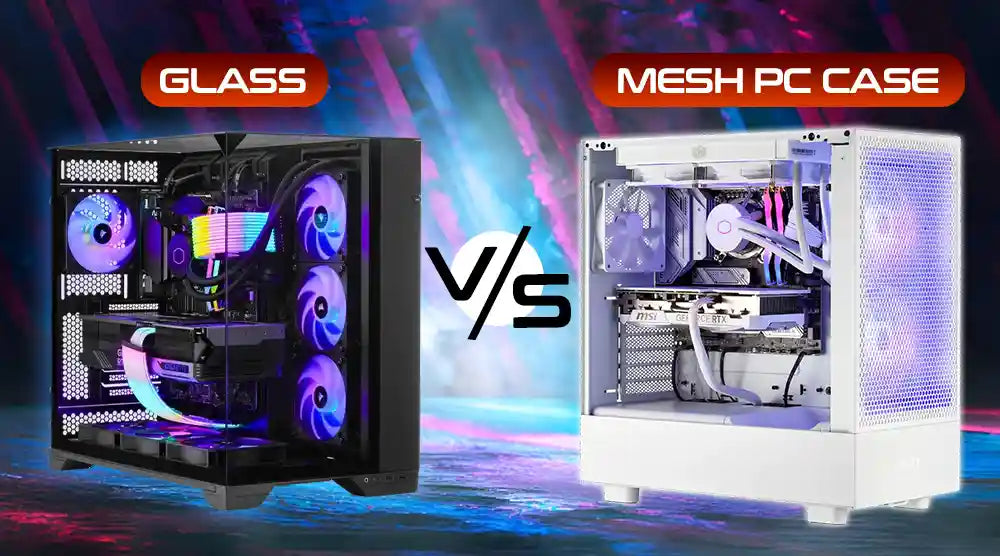
The glass vs mesh PC case debate continues to heat up among gamers and PC builders as we move into 2026. With modern components running hotter and demanding better airflow, case design has become more than just an aesthetic choice; it now plays a critical role in cooling performance, noise levels, and long-term hardware health. At the same time, builders are increasingly seeking visually impressive setups, making style just as important as function.
Choosing the right case ultimately comes down to your performance needs, cooling priorities, and personal preferences. Whether you want maximum airflow for high-end GPUs or a sleek, showcase-style build, understanding the strengths and limitations of glass and mesh designs will help you make the best decision for your next PC.
What Is a Glass PC Case?
A glass PC case uses tempered glass panels, usually on the front and side, to showcase your system’s components. These cases are popular for their clean, premium look, highlighting RGB lighting, custom cables, and high-end hardware.
While visually impressive, glass panels restrict airflow more than mesh designs. This can lead to higher internal temperatures, especially in builds with powerful CPUs and GPUs. As a result, glass cases prioritize aesthetics over maximum cooling performance.
What Is a Mesh PC Case?
A mesh PC case features perforated or mesh front panels meant to maximize system-wide airflow. This gives function priority over form, enabling unfettered air intake that keeps components cooler under heavy workloads.
Mesh cases provide major cooling advantages for content creators and players using taxing programs. They help avoid thermal throttling during lengthy rendering tasks or gaming sessions. Proper ventilation is essential for retaining top performance as modern graphics cards and CPUs produce significant heat.
New mesh case innovations have also significantly enhanced their visual appeal. Manufacturers now offer refined mesh designs with premium finishes, clean lines, and integrated RGB strips. Many include detachable dust filters that protect internal components and simplify maintenance.
Glass vs Mesh PC Case: Key Differences
1. Airflow and Cooling
The most striking distinction among these case types is airflow. Because their pierced panels permit free air circulation, mesh cases outperform glass cases in terms of thermal performance. Under the same circumstances, testing reveals that mesh designs may keep component temperatures 5–10 degrees Celsius below those of glass equivalents.
For power-hungry components found in high-end gaming computers, this cooling benefit is essential. Graphics cards and CPUs produce great heat that calls for effective distribution. Ensuring your hardware maintains peak performance during heavy tasks, mesh PC cases aid in avoiding thermal throttling.
2. Aesthetic and RGB Show
When appearance becomes more important, glass PC cases prevail. The clear panels provide an unhindered view of your build's interior, therefore greatly increasing RGB lighting effects' visibility. Every LED strip, lit fan, and component with built-in lighting shines through brilliantly to produce a stunning visual spectacle.
Glass cases are therefore ideal for displaying high-end structures because of this visibility element. Tempered glass's reflective character gives light effects depth and dimension that panels cannot duplicate.
3. Noise Levels
Between different case kinds, acoustic performance varies. Better sound dampening comes from glass panels since they build solid barriers that enclose fan noise. This favors glass cases for peaceful bedroom arrangements or workspace settings.
Mesh casings let somewhat more noise pass through their perforated panels. This variation, however, is usually small. The higher cooling efficiency may allow fans to run at slower speeds, therefore lowering total noise.
4. Dust Control
Better seals of glass cases help to limit dust entry. Their limited airflow, however, means intake fans have to work harder and might pull more dust through any gaps that exist.
5. Build Quality and Maintenance
Though they usually have removable magnetic filters to make cleaning easier, mesh cases reveal more surface area for dust to accumulate. Though many consumers believe the trade-off is worth it for excellent cooling, regular maintenance becomes more critical.
Which PC Case Is Best for You?
If visual display is important and you've spent money on RGB components you want to highlight, select a glass PC case. Moderate gaming configurations and projects where aesthetics match your office design benefit greatly from glass.
Choose a mesh case when cooling efficiency comes first. For overclocked CPUs or systems in warmer surroundings, this choice works for high-end gaming computers. Mesh's excellent thermal management avoids performance loss if you execute demanding applications for several hours.
Hybrid solutions, including glass side windows combined with mesh front panels, are something to think about. These cases highlight your build's interior while also providing great airflow.
Best Glass, Mesh, and Hybrid PC Cases in 2026
Here are some of the best glass, mesh, and hybrid PC cases available at Technoid Inc:
Glass PC Cases
-
Lian Li O11 Dynamic EVO: Premium design with outstanding RGB lighting on the case.
-
NZXT H7 Flow: Modern design with better cooling.
Mesh PC Cases
-
Fractal Design Torrent Compact: Offers maximum airflow.
-
Corsair 4000D Airflow: A budget-friendly option that doesn't sacrifice cooling.
Hybrid PC Cases
-
Pure Base 500DX: Mesh front with glass side panel, it's quiet as well.
-
Phanteks Eclipse P500A: Digital RGB with performance-centered design.
Wrap Up
Choosing the right PC case depends on your priorities. If you want a visually striking setup with RGB components and clean cable management, a glass PC case is ideal. For builds that demand maximum cooling and performance under heavy workloads, a mesh PC case is the better choice. Some cases combine both features, offering a balance of airflow and aesthetics.
At Technoid Inc., we specialize in custom PC builds tailored to your needs, whether you’re focused on high-end performance, stunning visuals, or a perfect mix of both.
Build your ultimate PC with Technoid Inc., where performance meets style.
People May Ask
1. Are glass PC cases hotter than mesh ones?
Yes, glass PC cases typically run at higher temperatures because solid glass panels restrict airflow. However, high-quality glass cases with the correct fan configuration can still maintain safe operating temperatures.
2. May I improve the cooling of a glass PC case?
Yes, you can improve the glass PC case temperatures by adding more fans, upgrading to liquid cooling, and tweaking the fan curve.
3. Are mesh boxes more difficult to maintain?
Mesh cases need more regular cleaning since perforated panels catch dust. Removable magnetic filters make maintenance easier.
4. RGB illumination performs best in which kind of cases?
Because clear panels offer unhindered views of illuminated components, glass cases dramatically better present RGB lighting.
5. Do mesh cases generate greater noise?
Indeed, mesh cases allow a little bit more sound to escape than glass cases, but their improved airflow often allows quieter fan operation.