
 United States
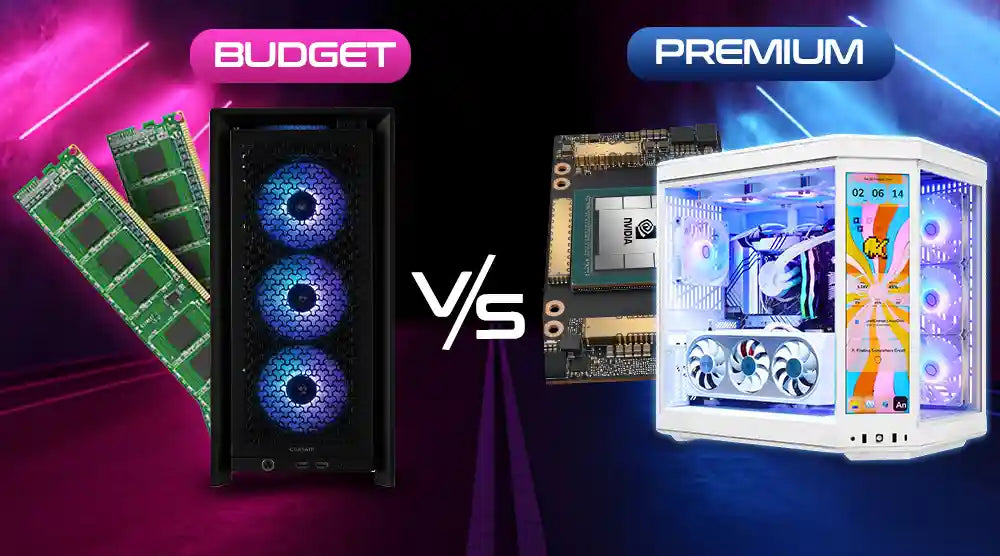
Building a PC often means balancing cost and performance. Every component affects your system, but not all parts need to break the bank. Some components are worth splurging on for long-term performance and reliability, while others can stay budget-friendly without compromising much.
This Budget vs Premium PC Components guide will help you make smart decisions, highlighting where to invest for maximum impact and where it’s safe to save.
Components You Should Consider Premium
1. CPU
The brain of your system, your CPU, is also where premium options really shine. Modern games, professional programs, and multitasking all depend heavily on CPU power. High-end CPUs improve gaming FPS in many triple-A games, especially when combined with a strong graphics card.
Moreover, superior processors are more future-proof and may support next-generation standards for many years in addition to their superior frame pacing and performance.
Streamers, 3D artists, programmers, and video editors who depend on quick multi-core processing also gain from premium CPUs. Upgrading here is a wise long-term investment as the processor controls how long your computer stays pertinent.
2. GPU (Visual Card)
For designers, animators, content creators, and gamers, a premium GPU is non-negotiable. It immediately affects:
-
Higher frame rates.
-
Improved ray tracing performance.
-
Smooth 144Hz or 240Hz gaming.
-
Faster encoding and rendering times.
-
Longer mean lifespan.
Premium GPUs offer better thermals, improved architecture, and more effective VRAM management. This is the area to spend if your job or hobbies include 4K editing, VFX, Unreal Engine development, AI workloads, or gaming.
3. PSU (Power Supply Unit)
Often ignored, your PSU is the engine of your construction; a cheap one might ruin costly components. Premium PSUs provide:
-
Consistent voltage control.
-
Higher efficiency scores: 80+ Gold/Platinum.
-
Better capacitors.
-
Surge and short-circuit protection.
One element where quality exceeds safety is this. Spending a little more here ensures your entire system stays safe, especially when using high-end gear.
4. Motherboard
You can choose a budget motherboard for a mid-range build, but not when you:
-
Need to overclock.
-
Need a later ability to upgrade.
-
Require rapid PCIe lanes.
-
Prefer Wi-Fi 6 or built-in 6E.
-
Require advanced VRMs.
High-end motherboards come with extra layers, better cooling, and improved power distribution. These characteristics increase stability, especially when performing demanding tasks.
Components That Are Fine on a Budget
1. RAM
For light editing and gaming, affordable RAM is sufficient. Even at medium speeds, modern games and apps function perfectly with 16–32GB of DDR4 or DDR5.
You only need expensive, ultra-fast RAM if you're executing:
-
Large visual effects workloads.
-
Massive simulations.
-
Superior workstation construction.
For everyone else, budget RAM provides fluid performance at a low price.
2. Storage - SSD/HDD
Fast and dependable are today's budget SSDs. A straightforward configuration like:
-
For OS plus applications, 500GB–1TB SATA SSD.
-
HDD for more space, 1 TB to 4 TB is enough.
-
For most consumers, it works flawlessly.
Premium NVMe Gen 5 drives provide lightning load speeds, but for users who need:
-
Ultra-fast 8K editing.
-
Extensive file transfers.
-
Large-load data management.
Gamers and casual consumers gain very little from this in relation to the price differential.
3. PC Case
A budget PC case is good as long as it has:
-
Good cooling system.
-
Front panel of mesh or vented.
-
Enough space for your graphics card.
-
At least two to three preinstalled fans.
Premium cases mostly contribute:
-
Tempered glass.
-
Enhanced cable path.
-
Superior attractiveness.
-
RGB or custom cooling assisting.
Therefore, avoid wasting your money on the case unless you desire a showcase construction.
4. Cooling Systems
For most non-overclocked CPUs, stock or budget air coolers are unexpectedly good. They provide consistent performance and comfortable temperatures.
Premium cooling, particularly AIO liquid coolers, is only needed for:
-
Extremely heavy overclocking.
-
Extremely premium processors.
-
Built for aesthetic reasons.
-
Ultra-silent PC.
Tips to Balance Premium and Budget Components
-
Invest in Performance-Critical Parts: Since the CPU, GPU, and PSU have major effects on system stability and overall performance, give them top priority when making purchases.
-
Save on Non-Critical Components: RAM, storage, and the case allow you to be more economical without compromising necessary functionality.
-
Mix and Match: Combine high-end and low-cost components to produce a well-rounded, economical build that satisfies your requirements.
Future-Proofing Your PC
-
Extend System Lifespan: Choosing the right components now can help your PC remain relevant and efficient for years.
-
Plan for Next-Gen Standards: Consider upcoming technologies like DDR5 memory, PCIe 5.0, and future GPU requirements to ensure your build can handle tomorrow’s software and games.
Wrap Up
When it comes to building a high-performance PC, understanding the balance between budget vs premium PC components is crucial. Knowing which parts to invest in and where you can save allows you to create a system that delivers excellent performance, stability, and longevity without overspending.
If you want to build a custom PC exactly to your needs, Technoid Inc. offers expert guidance and tailored solutions.
Visit our store today and let our experts help you bring your ideal PC to life!
Frequently Asked Questions
Which PC components gain the most from premium upgrades?
The PC components that benefit most from premium upgrades are the CPU, GPU, and PSU, as these directly impact performance, system stability, and longevity.
Which low-cost components can help build a high-performance gaming PC?
Pair a premium GPU with budget-friendly RAM, storage, and case. This setup delivers excellent gaming FPS while keeping your overall build within budget.
In a build, how should premium and budget components be balanced?
Give performance-critical components top priority and select budget choices for cooling, storage, and RAM where the performance gap is small.
For gaming PCs, are premium cases required?
No. Good airflow budget cases also work just as effectively. Premium cases are usually for aesthetics and additional features.
How much should I invest in a PSU for longevity and safety?
Usually, in the 600W–850W range, depending on your GPU requirements. Select an 80+ Gold PSU from a well-known brand.