
 United States
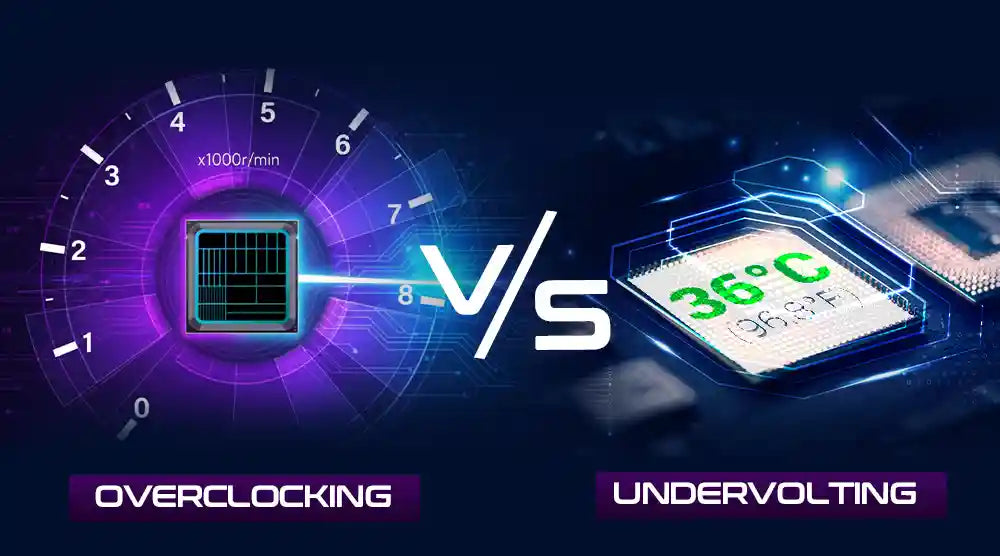
PC fans and gamers are always looking for ways to improve performance or efficiency in their systems. Two popular strategies, overclocking and undervolting, stand out, whether you are trying to maintain your system cool and silent or chase more FPS in games.
In this blog, we will compare overclocking vs undervolting, explain how each works, outline their pros, cons, and risks, provide safety guidelines, and help you choose the best option for your needs.
What is Overclocking?
Overclocking is the process of increasing the clock speed of your CPU, GPU, or RAM beyond the manufacturer’s specified limits to boost performance.
By raising a processor’s frequency (in MHz or GHz), it can perform more operations per second, effectively running faster than intended. In some cases, the voltage may also be increased to maintain stability at these higher speeds.
How It Operates
Raising the frequency causes the components to execute more tasks in less time by doing more cycles per second. This, however, results in increased heat output and power usage.
MSI Afterburner, Intel XTU, or AMD Ryzen Master let users fine-tune their overclocking parameters and monitor stability.
What Is Undervolting?
Undervolting is the process of reducing the voltage supplied to your CPU or GPU while maintaining steady performance.
Lower voltage reduces heat and electricity usage, creating a quieter system with somewhat lower temperatures. Undervolting's main objective is efficiency rather than increasing the clock speed.
How It Operates
Every processor is designed to operate within a specific voltage range. Many chips work as effectively at reduced voltages. Tools like ThrottleStop, Ryzen Master, or Intel XTU can help test and use stable undervolt settings securely.
A GPU running at 1.1V could still perform just as well at 1.0V, thereby saving energy and reducing heat and power consumption.
Key Differences: Overclocking vs Undervolting
|
Feature |
Overclocking |
Undervolting |
|
Purpose |
Increase performance |
Improve efficiency |
|
Effect on FPS |
Higher FPS in most games |
Slightly lower or same FPS |
|
Temperature |
Increases due to more power draw |
Decreases, runs cooler |
|
Stability |
May cause crashes if unstable |
May cause instability if voltage too low |
|
Power Usage |
Significantly higher |
Lower |
|
Ideal Users |
Gamers, power users |
Laptop users, efficiency-focused users |
Although they serve different purposes, both methods can enhance performance. Undervolting focuses on cooler, quieter operation, while overclocking aims to maximize speed and power.
Pros and Cons of Overclocking
Pros
-
Overclocking extracts more processing power, perfect for gaming and demanding workloads, hence increasing CPU/GPU performance.
-
A faster clock speed will boost frame rates, hence improving gaming smoothness in demanding games.
-
Faster multitasking and rendering, as higher CPU speeds help creative software like Blender, Premiere Pro, or CAD tools.
Cons
-
Increases temperatures, requiring better cooling solutions.
-
It can shorten hardware lifespan, as prolonged high voltage and heat may damage components.
-
May cause instability or crashes if settings are incorrect, potentially leading to system freezes or boot failures.
Pros and Cons of Undervolting
Pros
-
Excellent for laptop users seeking quiet operation: lower temperatures and fan noise.
-
Extends hardware lifespan and reduces heat.
-
Cuts power usage and increases total system efficiency by means of lowered energy consumption.
Cons
-
If you undervolt too forcefully, the system could throttle or underperform.
-
Stability demands fine-tuning; every chip performs differently, thus trial and error is needed.
-
Results vary per chip. Voltage changes have different impacts on two identical CPUs.
Dangers and Safety Guidelines
Risks Of Overclocking
-
Overheating could damage hardware or produce thermal throttling.
-
Long-term stress degrades hardware.
-
Some producers cancel the warranty after manual overclocking.
Dangers from Undervolting
-
Instability, too little voltage could cause crashes or data corruption.
-
Performance drops if the voltage is reduced too much, and some activities might underperform.
Safety Advice
-
A reliable program, such as MSI Afterburner, Intel XTU, or AMD Ryzen Master, should be used.
-
Examine stability using 3DMark, Cinebench, or Prime95.
-
During testing, keep track of the temperature at all times.
-
Increments develop slowly; never hop to distant levels.
Which One Should You Choose?
The choice between overclocking and undervolting depends on your goals and system setup. Opt for overclocking if your priority is achieving the highest FPS, faster renders, and improved multitasking performance. Choose undervolting if your focus is on efficiency, quieter operation, and extending hardware lifespan.
Many users find a balance by slightly overclocking while undervolting to maintain an optimal equilibrium between performance and temperature.
For example, gamers with high-end cooling systems may push their clock speeds, while laptop users benefit more from undervolting to enhance battery life and reduce heat.
Wrap Up
Both overclocking and undervolting offer unique advantages depending on your performance goals and system setup. Overclocking delivers higher FPS and faster processing for gaming and creative workloads, while undervolting ensures cooler, quieter operation and extends hardware lifespan.
Many users strike a balance between the two to optimize performance and efficiency.
If you’re looking for a budget-friendly gaming PC that can easily handle both overclocking and undervolting, Technoid Inc. has you covered. Explore our range of affordable gaming PCs designed for peak performance, stability, and long-term reliability, perfect for gamers who want maximum control without breaking the bank.
People May Ask
1. Is undervolting better than overclocking for gaming?
So, it really comes down to what you want the most. Undervolting keeps the system cooler and uses less power, whereas overclocking gives higher FPS and overall better performance.
2. Can I undervolt and overclock my PC together?
Of course, the combination of undervolting and overclocking together on your PC will let you enjoy the best of both approaches regarding performance and efficiency.
3. Does undervolting improve battery life on gaming laptops?
Indeed, there is a direct relationship between undervolting and power consumption reduction, which in turn results in lower temperatures and longer battery life.
4. For beginners, is overclocking dangerous?
It can be risky, but if you use official tools, make small incremental changes, and carefully monitor temperatures, overclocking can be managed safely.
5. Does undervolting invalidate the warranty?
No. Undervolting does not put hardware under strain; always check the manufacturer's policies before.