
 United States
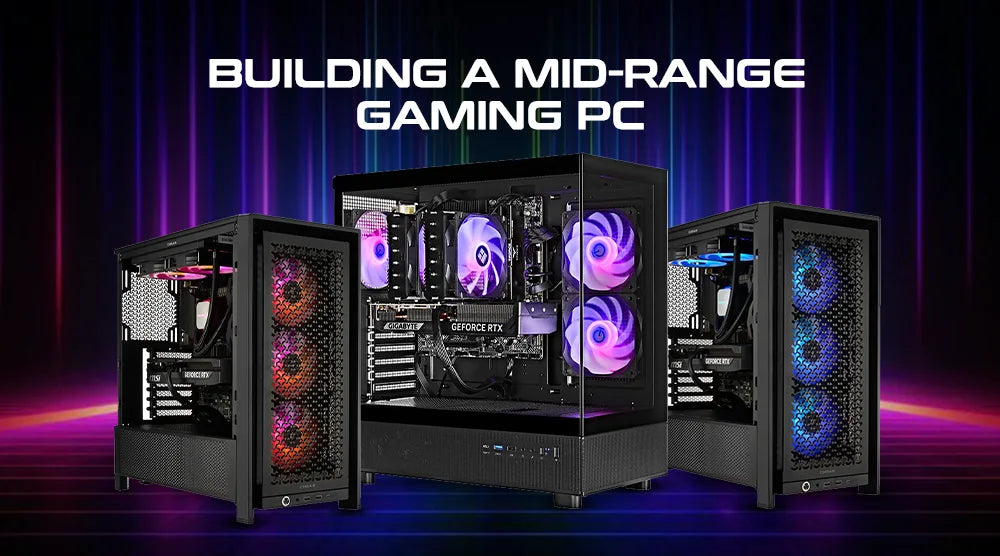
One of the best ways to enjoy excellent gaming performance without breaking the bank is by building a mid-range gaming PC. Striking the perfect balance between performance and affordability, it’s an ideal choice in 2026 for gamers seeking smooth gameplay without overspending.
This blog will cover everything you need to know: from choosing the right components to assembling your PC, and optimizing it for the best performance in gaming, streaming, and creative tasks.
What Is a Mid-Range Gaming PC?
A mid-range gaming PC usually costs between $1,000 and $1,600. It packs enough power to handle the latest AAA games at 1080p or 1440p, all while delivering smooth frame rates. These setups are great for multitasking, offer reliable speed, and can be easily upgraded down the line. They strike a nice balance between performance and cost.
Mid-range systems offer better graphics and smoother gameplay than budget PCs. While they’re less expensive than high-end gaming rigs, they still provide fantastic value for gamers seeking solid performance.
How It Works
When all the components are balanced, a gaming PC runs flawlessly. Your central processing unit (CPU) processes tasks and game logic, the GPU renders graphics, RAM ensures fast multitasking, and storage drives reduce loading times.
Hence, a strong and consistent gaming experience results from the synergy of mid-range gaming PC components.
Who Needs a Mid-Range Gaming PC
This systems work best for:
-
Players looking for excellent performance without excessive spending.
-
Streamers need seamless gaming and multitasking ability.
-
Students and creators looking for a machine for improved graphics and speed.
Advantages of Building a Mid-Range Gaming PC
-
Balanced Power: Excellent performance without premium pricing.
-
Next-Gen Games: Supports next-gen games and upgrades, as well as being future-ready.
-
Customizable: Choose design, cooling, and RGB as per your needs.
-
Cost-Effective: More value than prebuilt systems.
-
Learning Experience: Assists you in grasping hardware and troubleshooting.
Expert Tips: Step-by-Step Guide to Building and Optimizing
1. Choose Your Components Wisely
Choose components that suit your needs before getting started. Here’s a recommended mid-range gaming PC specification for 2026:
CPU Options:
-
Intel Core i5-14600KF
-
Ryzen 5 9600X AMD
GPU Options:
-
NVIDIA RTX 4070
-
AMD RX 7800 XT
Other Components:
-
Motherboard: Either B760 for Intel or B650 for AMD.
-
RAM: 32GB DDR5, fast, dependable, and future-proof.
-
SSD: 1TB NVMe SSD for fast loading and storing.
-
PSU: 650W–750W, 80+ Gold certified.
Case:
-
Pick one with good airflow and dust filters.
2. Assemble the PC Step by Step
Arrange Your Space:
-
Select a static-free area.
-
Make use of a little screwdriver.
-
Organize all parts and screws.
Install The Processor:
-
Flip the socket latch open.
-
Place the CPU gently.
-
Lock it back at the right position.
-
If your cooler calls for it, apply a little quantity of thermal paste.
Mount The CPU Cooler:
-
Mount an AIO or air cooler safely.
-
Make sure fans point in the right direction for airflow.
Add RAM:
-
Install dual-channel slot RAM sticks.
-
Push down till you hear a click..
Install the SSD:
-
Place your NVMe SSD in the motherboard slot.
-
Fix it using the screw given.
Ascend the Motherboard:
-
Put the board within your luggage.
-
Align it with the standoffs.
-
Turn it in gently.
Connect Power Supply Cables:
-
Affix cables for CPU, motherboard, and GPU.
-
To maintain order, cable ties should be used.
Install the GPU:
-
Plug it into the main PCIe slot.
-
Screw it to make it safe.
-
Connect the power lines.
Complete Cable Management:
-
Run cables behind the box.
-
Leave an empty area for circulation.
3. Turn on and Test
-
Turn the PC on and access the BIOS.
-
Assess if components are noticed.
-
Activate XMP/EXPO to maximize RAM speed.
-
If necessary, update BIOS.
Load Windows along with the newest drivers, GPU, audio, chipset, and network.
4. Fine-Tune Execution
Track The State Of The System:
Utilize tools such as:
-
MSI Afterburner.
-
HWMonitor.
Examine clock speeds, fan activity, and temperatures.
Enhance Cooling:
-
Set fan curves.
-
Maintain performance and loudness equilibrium.
-
Monthly filter cleaning.
Reference the PC:
Run the following benchmarks:
-
Cinebench
-
3DMark
-
UserBenchmark
These tools help verify that your PC is functioning properly.
Improve Performance for Windows:
-
Start Game Mode
-
Disable background programs not in use.
-
Set High-Performance power mode.
-
Update BIOS and GPU drivers regularly.
Wrap Up
Building a mid-range gaming PC in 2026 is a smart way to enjoy smooth gameplay, reliable performance, and future-proof upgrades without overspending. By carefully selecting components, assembling your system step by step, and optimizing it for peak performance, you can create a machine that rivals much more expensive setups while gaining valuable hands-on experience.
Ready to take your gaming to the next level? At Technoid Inc., we provide expert guidance, curated parts recommendations, and support to help you build the perfect mid-range gaming PC tailored to your needs.
Start your build today and unlock the ultimate gaming experience!
People Also Ask
What is the best budget range for a mid-range gaming PC in 2026?
Usually, a solid mid-range setup costs between $1,000 and $1,500. The price mainly depends on the GPU choice.
Do I need DDR5 RAM for a mid-range build?
Yes, the benefits such as speed, stability, and long-term value of DDR5 RAM are the reasons for its necessity in mid-range gaming PCs.
Can a mid-range gaming PC handle 4K games?
Yes, a mid-range gaming PC is able to play some 4K titles, but if smooth frame rates are your concern, the ideal sweet spot is 1440p.
What's the best way to test my new build?
3DMark or Cinebench benchmarks can be used to confirm performance and stability.
How often should I upgrade a mid-range system?
Most of the users upgrade their systems every 3-5 years, which depends on new games and hardware changes.